Where can I pause a dive?
The doorbell rings just as your score appears. You can get the door. Leave the screen on Next question and the game will wait. If the answer box is still open, that question’s timer keeps running while you’re away.
If the phone rings on question four
Suppose you’ve typed half a name and there are twelve seconds on the clock. If you know the rest, finish it and press Submit. Wait long enough to see what happens. A score means the game has finished judging that question. The short descent can play out while you’re gone. An “Unlisted answer” message means you’re still on question four and those seconds still count.
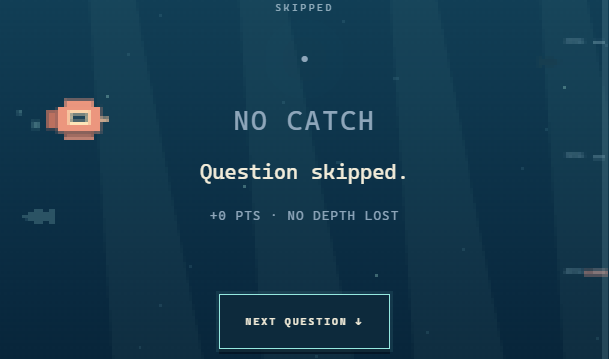
If you have to take the call immediately, put the phone down. You don’t have to race back to save questions five, six and seven. Number four can time out for zero, then the game waits for you to advance. If you’ve already decided to give up on that question, Skip question gets you to the same stopping place straight away. Either way you keep the points you earned on the first three.
What the clock does when you leave the tab
The three-second preview and the 25-second answer window have deadlines. Say you switch tabs with ten seconds left in the answer window and come back about four seconds later. You should still have about six seconds to submit. Come back after a minute and the question will have timed out. A draft in the box only counts once you submit it and the game accepts it.
This applies during the preview too. If you tap Next question on your way to the kettle, the preview will finish and the answer window will run even though you aren’t there to see either one. Opening How to play or Settings also leaves the deadline in place. If you want to change the sound or reduce the motion mid-dive, do it while the last result is showing, before starting the next prompt.
Coming back this evening
With site storage available, you can close the tab at the between-question screen and reopen the game in the same browser on the same device. You’ll have the rest of that dive to play. If you closed it with a timer running, it uses the original deadline when you return. Refreshing the page works the same way. The local storage notes explain which parts of the dive your browser saves.
Look at what’s on screen when you come back. An answer box with your half-typed word and time left means you can finish typing it. A Time up reveal means the deadline passed. In the latter case you can put the phone down a second time while you finish your call. The button waiting below that reveal won’t start another clock until you press it.
The top-left Krillion logo is an easy button to press by habit. Save it for when you actually want to end the dive and go home. If the game has shown a warning that it can’t save progress, leave the current tab open at Next question while you step away. Reopening a closed tab would then depend on a save the browser couldn’t make.
On the seventh question, look for View results in the same spot. There’s no eighth timer to worry about. If the interruption comes there, you can take the extra moment to open the scorecard and record the finished dive before you go.